Deploy a complete open-source data stack in minutes.

OrcheStack is a cost-effective, containerised data platform built for Nigerian organisations. Sign up, pick one tool per pipeline layer and your modern data infrastructure is ready. No cloud bills, no vendor lock-in.

Only the control plane runs at install. Services pull and start when you configure them.
The stack

End-to-end modern data pipeline in minutes.

From ingestion through transformation and storage to visualization in minutes. These are OrcheStack's tested defaults; pick alternatives for any layer during setup.

(More connectors, warehouses and BI tools coming soon)

Orchestrator
Apache Airflow logo Apache Airflow
Transformation
dbt logo dbt Core
Data quality
Great Expectations logo Great Expectations
Data sources
350+ sources APIs, CSV, database,
Stripe, Sheets…
Ingestion
Airbyte logo Airbyte
Storage
PostgreSQL logo PostgreSQL
Visualization
Metabase logo Metabase
Data lake
MinIO logo MinIO
Architecture

Lazy-pull, resource-aware by default.

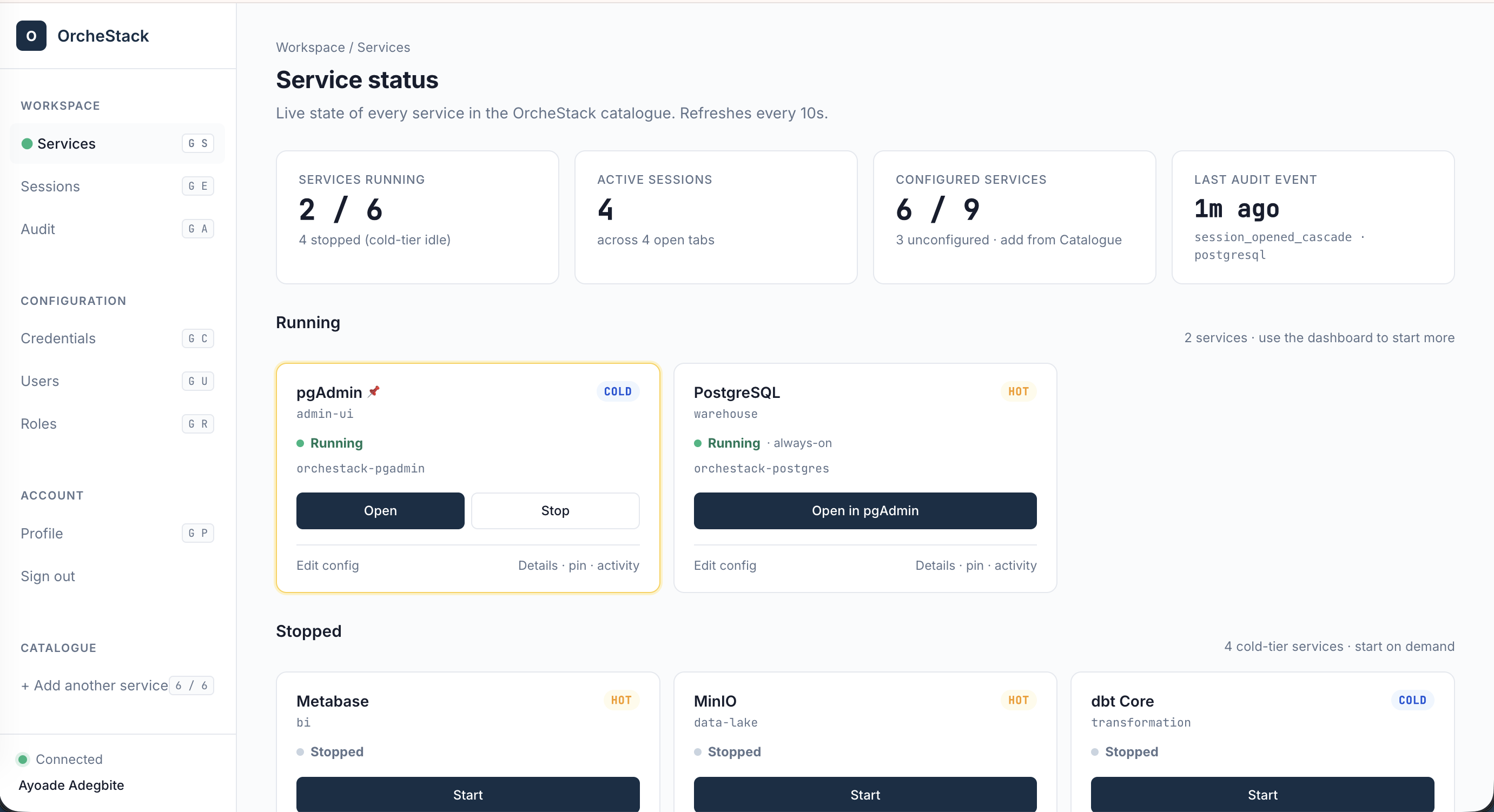
Install ships minimal. Services pull and start only when you enable them. Hot-tier services stay running for stakeholders. Cold-tier services spin up on schedule or on click, then shut down when idle.

Base install Ships with every OrcheStack container, runs from day zero
Reverse Proxy Front-facing site Dashboard (HTMX) PostgreSQL Service Orchestrator
Hot tier Pulled on configure and stays running while enabled
PostgreSQL Metabase pgAdmin
Cold tier Pulled on configure but starts on demand, stops when idle
Airbyte Airflow dbt Core Great Expectations OpenMetadata

4 steps to your next data project

No Kubernetes, no cloud accounts, no licences. Just Docker and your host machine.

1

Install OrcheStack

OrcheStack ships as a single Docker Compose file. Install Docker for your OS, then pull our compose file in one command each.

# 1. Install Docker Desktop (Apple Silicon build)
#    https://docs.docker.com/desktop/install/mac-install/

# 2. Pull OrcheStack
$ curl -fsSL https://orchestack.africa/install.sh | bash
# 1. Install Docker Desktop (Intel build)
#    https://docs.docker.com/desktop/install/mac-install/

# 2. Pull OrcheStack
$ curl -fsSL https://orchestack.africa/install.sh | bash
# 1. Install Docker Engine (ARM64, e.g. Raspberry Pi / Graviton)
$ curl -fsSL https://get.docker.com | sh

# 2. Pull OrcheStack
$ curl -fsSL https://orchestack.africa/install.sh | bash
# 1. Install Docker Engine
$ curl -fsSL https://get.docker.com | sh

# 2. Pull OrcheStack
$ curl -fsSL https://orchestack.africa/install.sh | bash
# 1. Install WSL2 + Docker Desktop (PowerShell, admin)
> wsl --install

# 2. Inside WSL Ubuntu, pull OrcheStack
$ curl -fsSL https://orchestack.africa/install.sh | bash
2

Start the control plane

Only the base control plane starts. It requires about 2 GB of RAM. Other services wait until you enable them in the next step.

$ docker compose up -d
[+] Running 4/4  ✓ proxy  ✓ front  ✓ postgres  ✓ dashboard
Ready at http://localhost
3

Sign up & pick your stack

Open http://localhost. The first user becomes Admin. Then pick one tool per pipeline layer and OrcheStack pulls only the Docker images you chose.

# OrcheStack opens the setup wizard
# → Welcome → Pick tools → Enter creds → Deploy

# Ingestion   → Airbyte
# Transform   → dbt Core
# Warehouse   → PostgreSQL
# Quality     → Great Expectations
# BI          → Metabase
4

See it in action

All services are now wired together. Run the default DAG on demand or leave it on the nightly schedule and your dashboards update automatically.

OrcheStack admin dashboard

The fastest way to build a modern data stack using open-source tools.

Start your next data project in minutes.